Leafy Corner Tasks Guide — Track, Complete & Claim
Use the task panel as a next-action queue instead of relying on an incomplete reward table.
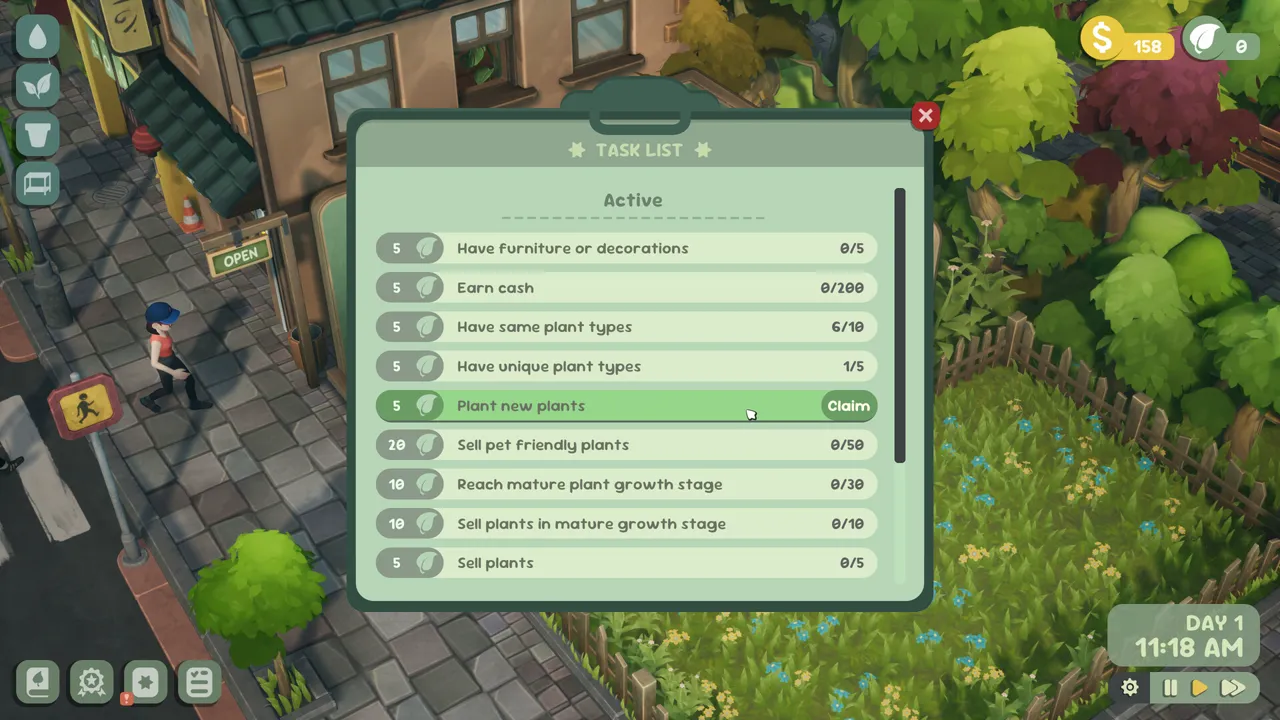
Table of contents
The task panel is a reliable way to turn a broad shop goal into one visible next action. Use the wording and progress state currently on screen; individual task sets and rewards can change.
Read the task lifecycle
- Open the task list and choose an objective whose requirements are visible.
- Check whether progress is counted once, over time, or as a collection total.
- Complete the action in the relevant shop interface.
- Return to the task panel and confirm that the state changed.
- If a claim action appears, use it and verify the completed state before choosing another task.
The panel itself should decide whether an objective is complete. Do not infer a reward or hidden threshold from a similar achievement.
Pair a task with a player need
Use a plant-care task while following watering and care, a customer objective while using the request matcher, or a shop-development objective while checking reputation. That keeps progression connected to work you already need to do.
For account-style completion goals, the separate achievement checklist contains all 26 current names and descriptions.
Related guides
Leafy Corner Beginner Guide — Your First Shop Loop
Follow a short first-session path through planting, care, sales, tasks, and the next useful shop action.
Read guideLeafy Corner Reputation & Unlocks Guide
Read the reputation interface and plan around visible progress without an invented level-threshold table.
Read guideLeafy Corner Achievements — 26-Item Checklist
Search all 26 current achievement names and descriptions and track progress in your browser session.
Read guide