Leafy Corner Reputation & Unlocks Guide
Connect normal shop work to the visible reputation path and check the next on-screen goal.
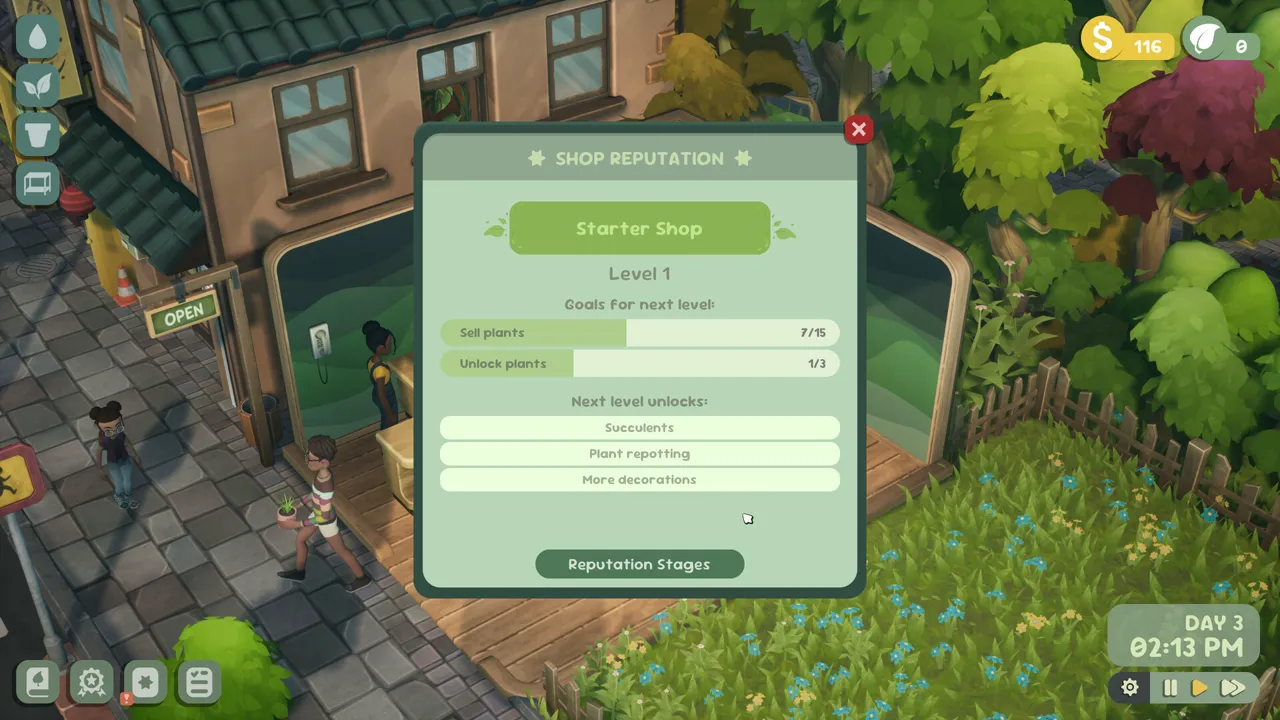
Table of contents
Reputation is a visible progression path, not a reason to invent a full level table. Use the current interface to connect everyday shop work with the next goal it actually shows.
Read progress in context
Open the reputation view after completing customer-facing work or another shop-development action. Compare the visible progress with the next goal shown there. If the interface exposes a new option, treat that on-screen state as the current unlock condition.
The achievement list confirms two broad milestones: Leafing A Good Impression for increasing reputation and Best In Town for reaching the sixth store-reputation level. It does not establish every intermediate threshold or reward.
Choose work that serves two purposes
When several tasks are available, prefer one that also improves a current shop need:
- answer a customer request while learning the plant traits;
- complete an external order while moving stock;
- follow the task panel when it exposes a concrete objective;
- improve layout clarity when the shop itself slows you down.
Keep unknown thresholds unknown
This guide does not publish token costs, exact reputation points per action, or a complete unlock ladder. Those values should come from the current game view, not from a guessed extrapolation.
Related guides
Leafy Corner Beginner Guide — Your First Shop Loop
Follow a short first-session path through planting, care, sales, tasks, and the next useful shop action.
Read guideLeafy Corner Tasks Guide — Track, Complete & Claim
Find the task list, read visible progress, and recognize when an objective is ready to claim.
Read guideLeafy Corner Orders Guide — How to Complete External Orders
Open order management, identify eligible stock, select every required plant, and complete the order with a verified Leafy Corner workflow.
Read guide